
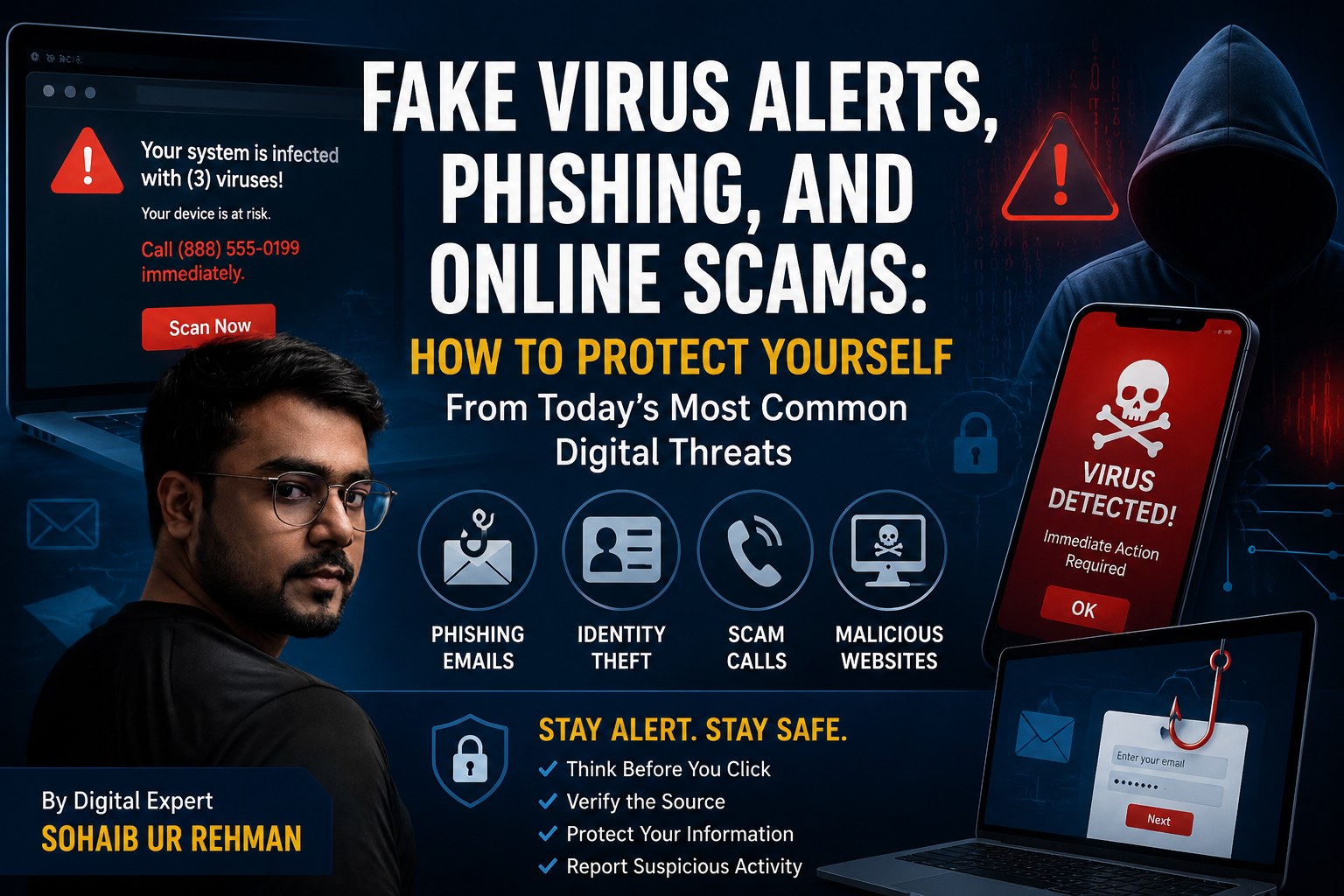
A Message from Digital Expert
My name is Sohaib Ur Rehman, and I work with Siskiyou News in digital publishing and online media. Over the years, I have seen countless examples of misleading online advertisements, phishing attempts, fake virus warnings, and other internet scams designed to trick users into sharing personal information or downloading malicious software.
I am sharing this public awareness guide because many people, especially seniors and less experienced internet users, continue to encounter these scams every day. Understanding how these schemes work is one of the best ways to protect yourself, your family, and your personal information online.
Beware of Fake Virus Warnings and Redirects
One of the most common scams today involves fake virus alerts that suddenly appear while browsing the internet. In many cases, the website link you originally clicked may actually be legitimate. However, after clicking the link, a separate page or window may unexpectedly open and display alarming messages claiming that your device has been infected, hacked, or compromised.
These messages are designed to create fear and panic. They often urge users to call a phone number immediately, download software, or provide personal information.
If this happens:
- Do not panic.
- Do not call any phone number shown on the screen.
- Do not enter passwords, banking information, or personal details.
- Close the page and return to a trusted website.
Always look carefully at the website address (URL) displayed in your browser. Scammers often use web addresses that look similar to legitimate companies but contain unusual words, numbers, or unfamiliar domains.

Apple Users: What You Should Know
Many scam pages falsely claim to represent Apple, iCloud, Safari, or other trusted technology companies.
It is important to understand that Apple does not normally display random pop-up warnings in Safari telling users that their iPhone has been infected with multiple viruses or that immediate action is required. Messages claiming that your device is severely infected and demanding immediate action are often part of a scam.
If you encounter such a warning:
- Do not click any buttons on the page.
- Do not install software from the warning.
- Do not provide payment information.
- Close the browser tab and verify any security concerns through Apple’s official settings or support resources.
Why This Awareness Matters
Cybercriminals rely on fear, urgency, and confusion. Their goal is often to steal personal information, gain access to financial accounts, install unwanted software, or convince victims to make payments.
By learning how these scams operate and sharing this information with family members, friends, and neighbors, we can help reduce the number of people who become victims.
The best defense against online scams is simple: slow down, verify information, and never trust unexpected warnings that demand immediate action.
Fake Virus Alerts and Online Scams: What Every Internet User Should Know
Millions of Americans encounter alarming pop-up messages every day claiming their device has been infected with a virus, hacked, or locked due to suspicious activity. While these warnings may appear legitimate, many are part of online scams designed to steal personal information, financial data, or gain access to devices.
What Is a Fake Virus Alert?
A fake virus alert is a deceptive message that appears while browsing the internet. These warnings often claim:
- Your device has been infected with a virus.
- Your personal information is at risk.
- Your bank account has been compromised.
- You must call a support number immediately.
- You need to install security software right away.
These messages are designed to create panic and pressure users into acting without thinking.
How These Scams Work
Scammers commonly use online advertisements, malicious websites, fake downloads, and deceptive pop-ups to lure victims.
A typical scam follows this pattern:
- A user clicks a link or advertisement.
- A fake warning suddenly appears.
- The warning claims the device is infected.
- The user is urged to call a phone number or download software.
- The scammer attempts to obtain personal information, passwords, or payment details.
Common Online Scams Affecting Americans
Tech Support Scams
Fraudsters pretend to represent major technology companies and claim they have detected a problem with your device.
Phishing Emails
Scammers send emails pretending to be banks, government agencies, delivery companies, or online services.
Identity Theft Schemes
Criminals collect personal information such as Social Security numbers, dates of birth, passwords, and banking details.
Fake Prize and Sweepstakes Scams
Victims are told they have won money or prizes but must pay fees or provide personal information to claim them.
Romance Scams
Scammers build trust through online relationships before requesting money.
Investment and Cryptocurrency Scams
Fraudsters promise unrealistic returns while encouraging victims to transfer funds.
Package Delivery Scams
Fake text messages or emails claim a package cannot be delivered until the recipient clicks a link.
Warning Signs of a Scam
Be cautious if you encounter:
- Urgent warnings demanding immediate action.
- Requests for gift cards or cryptocurrency payments.
- Unexpected phone calls from “technical support.”
- Messages containing spelling or grammar errors.
- Requests for passwords or banking information.
- Offers that seem too good to be true.
How Criminals Collect Information โผ๏ธ
Scammers may attempt to gather:
- Email addresses
- Passwords
- Banking information
- Credit card numbers
- Social Security numbers
- Personal identification documents
The information can then be used for identity theft, financial fraud, or unauthorized account access.
How to Protect Yourself ?
Never Trust Pop-Up Warnings
Legitimate security companies generally do not display urgent pop-ups demanding phone calls or immediate payments.
Keep Software Updated
Install operating system and browser updates regularly.
Use Strong Passwords
Create unique passwords and enable two-factor authentication whenever possible.
Verify Before Clicking
Confirm the legitimacy of emails, text messages, and websites before providing information.
Use Trusted Security Software
Install reputable antivirus and security tools from trusted sources.
Monitor Financial Accounts
Review bank and credit card statements regularly for suspicious activity.
What To Do If You Encounter a Fake Virus Alert
- Do not call any number displayed in the pop-up.
- Close the browser tab.
- Run a security scan using trusted software.
- Change passwords if you entered any information.
- Contact your financial institution if payment information was provided.
- Report the incident to appropriate authorities.
Final Thoughts
Online scams continue to evolve, targeting users of all ages and technical skill levels. By recognizing common warning signs and exercising caution, internet users can significantly reduce their risk of becoming victims. Awareness remains one of the most effective defenses against cybercrime.
When in doubt, pause before clicking, verify information through official sources, and never provide personal information based solely on an unexpected warning message.
About the Author : Sohaib Ur Rehman works in digital publishing and online media with Siskiyou News. He regularly researches website security, online scams, digital trends, and public awareness topics affecting internet users across the United States.This structure will read like a professional public-awareness feature article rather than a blog post, which is ideal for Siskiyou News.